VoidTween
A downloadable tool
How to install
Double click the .aseprite-extension file, and Aseprite should open up prompting to install it. If it doesn't, go to Edit, Preferences (CTRL+K), Extensions tab, Add Extension button, and find the downloaded extension.
How to use the extension
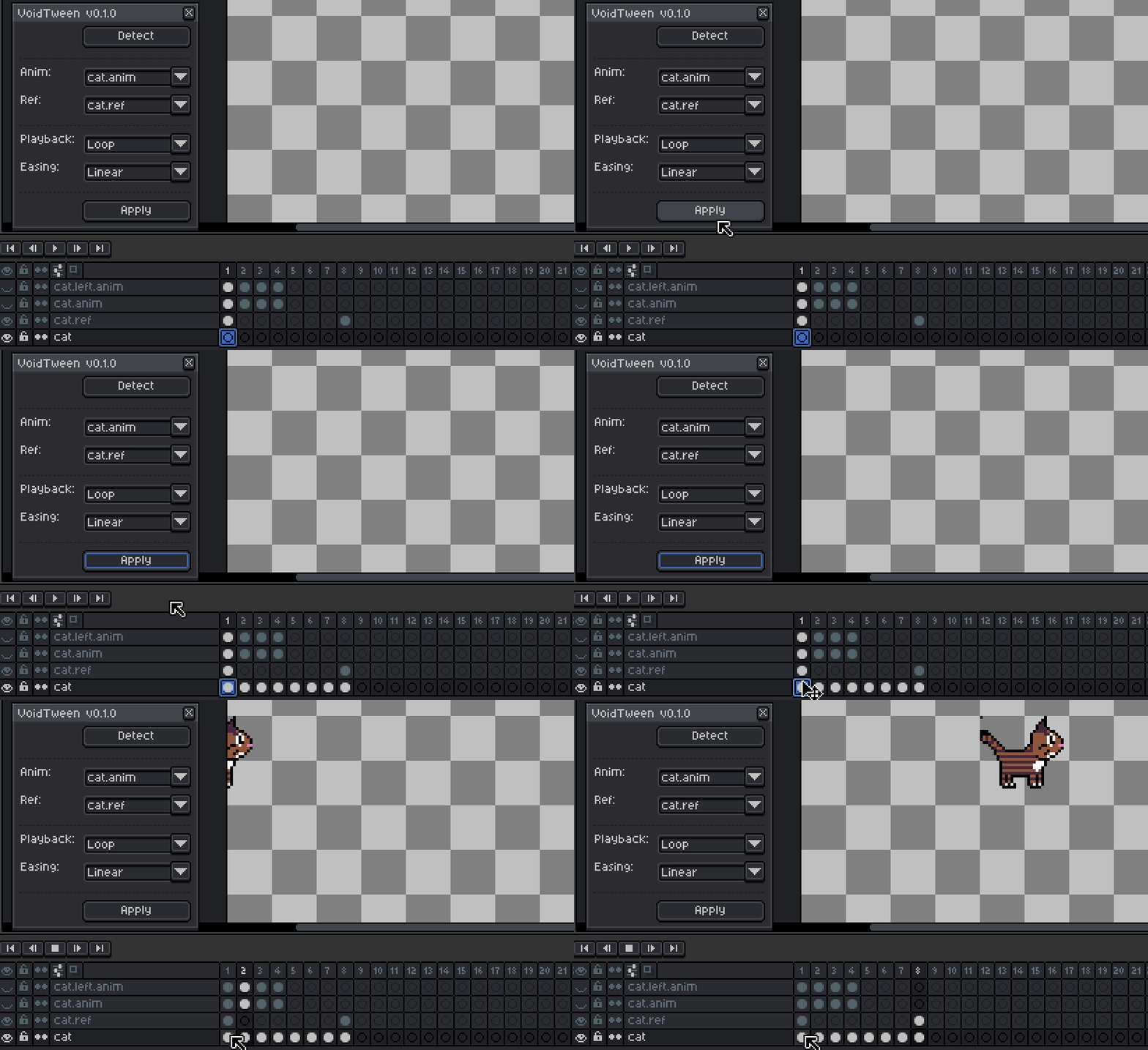
Prepare your scene by creating 3 layers: A target layer, an animation layer, and a reference layer.
- cat: target layer, basename of tweening target
- cat.anim: animation layer, this is what gets sourced to target for animation
- cat.ref: keyframe reference layer, this is what gets used to instruct where to put the animation at locationally.
Select an active cell in cat, or whatever basename is.
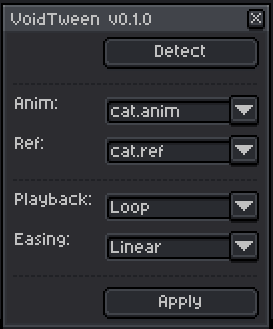
Go to the Edit menu and under FX, select VoidTween. It should make Anim and Ref dropdowns to cat.anim and cat.ref, if it doesn't, select it manually while a cell is active.
While on a frame on same column to a filled ref frame, press apply, it'll search for a future ref keyframe and attempt to tween between the two points.
Download
Click download now to get access to the following files:
Development log
- v0.1.0 Release52 days ago
Leave a comment
Log in with itch.io to leave a comment.